
Sabse Alag1.2 - Google Play
You'll be able to see results in few seconds.
Publisher Description
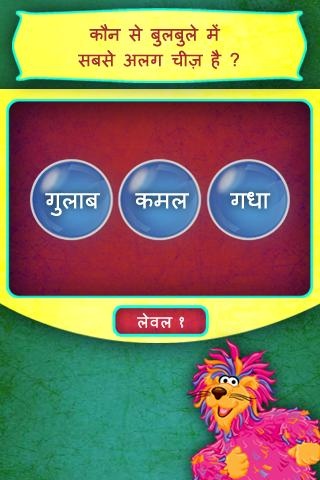
तीन के सेट में से अलग वस्तु को पहचानने में बुम्बाह की मदद करें ।
खेल विवरण
• बुम्बाह को ध्यान से सुनें, वह हर सेट की वस्तुओं के नाम पढ़ेगा ।
• हर सेट में से सबसे अलग वस्तु पर क्लिक करें और बुलबुले को फोड़ें ।
• आखरी तीन प्रश्नों में शब्दों को अपने आप पढ़ने की कोशिश करें ।
पाठ्यक्रम और कौशल
• पढ़ना
• समस्याओं का हल ढूँढना
Help Boombah identify the odd object in each set of three.
Game Description
• Listen to Boombah read the names of the objects in each set
• Click on the odd one out and pop the bubble
• Try to read the words in the last 3 questions yourself
Curriculum and Skills
• Reading Skills
• Problem solving
About Us:
Sesame Workshop Initiatives India Pvt. Ltd., a wholly owned subsidiary of Sesame Workshop (USA), is an educational organisation behind Galli Galli Sim Sim, Indian adaptation of the renowned Sesame Street. Our projects bring critical skills in literacy & numeracy, emotional wellbeing, health & hygiene and inclusion to children throughout India.
Learn more at: www.sesameworkshopindia.org
About Sabse Alag
The company that develops Sabse Alag is Sesame Workshop India. The latest version released by its developer is 1.2.
To install Sabse Alag on your Android device, just click the green Continue To App button above to start the installation process. The app is listed on our website since 2013-05-20 and was downloaded 0 times. We have already checked if the download link is safe, however for your own protection we recommend that you scan the downloaded app with your antivirus. Your antivirus may detect the Sabse Alag as malware if the download link to com.sabsealag is broken.
How to install Sabse Alag on your Android device:
- Click on the Continue To App button on our website. This will redirect you to Google Play.
- Once the Sabse Alag is shown in the Google Play listing of your Android device, you can start its download and installation. Tap on the Install button located below the search bar and to the right of the app icon.
- A pop-up window with the permissions required by Sabse Alag will be shown. Click on Accept to continue the process.
- Sabse Alag will be downloaded onto your device, displaying a progress. Once the download completes, the installation will start and you'll get a notification after the installation is finished.
Program Details
System requirements
Download information
Pricing
Version History
version 1.2
posted on 2013-05-20
Disclaimer
Official Google Play Link
We do not host Sabse Alag on our servers. We did not scan it for viruses, adware, spyware or other type of malware. This app is hosted by Google and passed their terms and conditions to be listed there. We recommend caution when installing it.
The Google Play link for Sabse Alag is provided to you by apps112.com without any warranties, representations or guarantees of any kind, so access it at your own risk.
If you have questions regarding this particular app contact the publisher directly. For questions about the functionalities of apps112.com contact us.
